
Simplify the Tedious Workflow of PO Matching
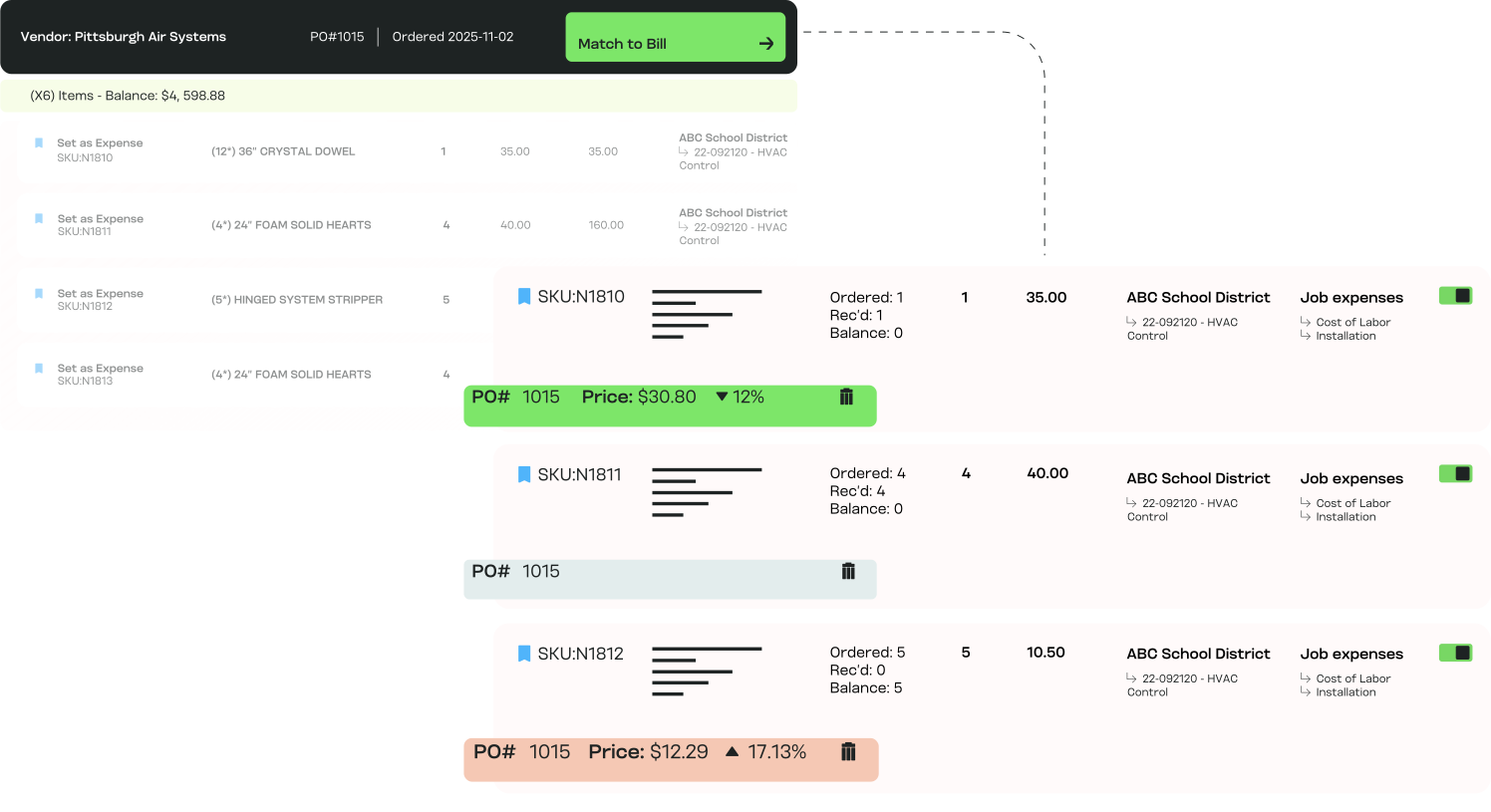
MakersHub takes on the tedious but critical task of line level matching — comparing bills, POs, and receipts automatically while flagging what requires attention.
.avif)
How PO Matching Works for You

Stop Overpayments
Catch duplicate charges, wrong quantities, or inflated pricing before money goes out the door with automated PO matching.

Line-Item Precision
MakersHub doesn’t just check totals — it validates quantities, SKUs, and unit pricing down to the line item.

Many to Many Matching
Match multiple bills to a single PO or multiple POs to a single bill with ease, keeping even the most complex purchasing workflows under control.

Built for Complex Operations
Handle multiple POs, partial receipts, and multi-page bills without manual reconciliation.

Confidence in Every Approval
Finance teams, project managers, and executives can approve bills knowing costs align with agreed terms.
Turning Complex Workflows Into Seamless Systems

Three-Way Match Made Simple
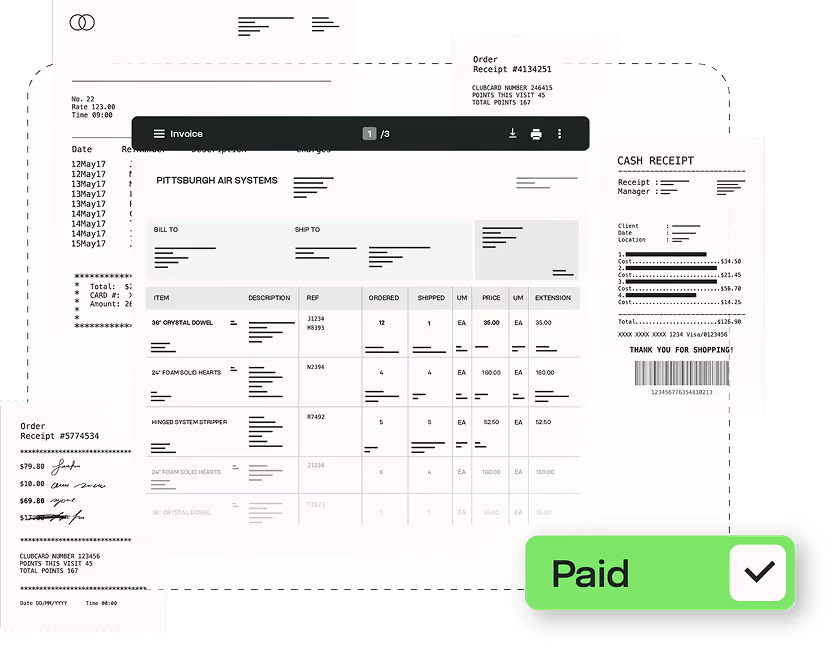
MakersHub automatically compares bills, purchase orders, and receipts in real time, flagging discrepancies instantly.
.png)
No More Manual Reconciliation
Instead of poring over spreadsheets, finance teams rely on structured data and rules to validate bills quickly and consistently.
Protect Margins, Strengthen Vendor Trust
Accurate matching ensures you only pay for what was ordered and received. Vendors get paid on time, and you maintain strong relationships without overpaying.
Experience the difference firsthand
The Tools That Power PO Matching

Automated PO & Receipt Matching
Validate bills against POs and receipts instantly.

Line-Item Validation
Check SKUs, quantities, and unit pricing, not just totals.

Multi-PO Handling
Match one bill against multiple POs seamlessly.

Partial Receipts
Reconcile partial shipments without confusion.

Discrepancy Flags
Highlight mismatched quantities or pricing with color-coded alerts.

Searchable Audit Trail
Every match, adjustment, and approval is logged for compliance and reporting.
In Their Words
“Makershub has revolutionized our operations. The improvements in invoice entry, PO matching, and approval workflows are remarkable, leading to exceptional accuracy and efficiency. This platform has truly elevated our productivity to new heights.”


Jacqueline Finnick, Purchasing Manager
Elite Pools

FAQs
When you upload a bill, MakersHub lets you tie it directly to open Purchase Orders in QuickBooks Online or Desktop. You can select a PO, and the system automatically pulls in line items, quantities received, and pricing. Bills can then be matched line-by-line, added in full, or adjusted manually before approval. Once approved, updates sync back to QuickBooks immediately (Online) or on the next Web Connector run (Desktop).
Yes. MakersHub supports both multiple POs per bill and multiple bills per PO. You can select POs individually and match lines one at a time, making it simple to reconcile complex jobs with multiple orders or partial receipts.
No. Approvals can run in sequence or parallel, and each approver only sees what’s relevant to them.
Absolutely. Quantities can be adjusted manually or auto-filled from the PO balance, ensuring you only pay for what’s been received.
MakersHub highlights mismatches with clear visual cues, using color-coded alerts to show when quantities or pricing don’t line up. This makes issues easy to spot and resolve before approvals.
Once a bill tied to a PO is synced, you can still adjust quantities on existing lines, but new lines from that PO can’t be added to that bill. This ensures clean reconciliation across systems.
Automated PO matching prevents duplicate payments, incorrect quantities, or inflated pricing from slipping through. Every match, adjustment, and approval is logged in an audit trail for full transparency.
Eliminate Errors Before They Cost You.
Automated PO matching ensures you only pay for what you ordered and received. No more, no less.