
AP That Keeps Projects on Schedule
MakersHub automates AP for construction companies, ensuring every line of every bill is captured, coded to the right project, matched against purchase orders, and approved on time. Keep projects moving, protect vendor relationships, and gain confidence in your numbers.





.avif)
.avif)
In Their Words
“We’ve been using Makershub to manage subcontractor invoices for our residential remodeling business, and it has completely transformed our payment process. The platform is intuitive, easy to navigate, and has significantly cut down on time spent chasing paperwork and approvals. What really sets Makershub apart is their customer support. Anytime we’ve had a question or needed assistance, their team has been quick to respond and incredibly helpful. It feels like they genuinely care about our success. If you’re a contractor or business owner looking for a smart, reliable invoicing solution, I highly recommend Makershub!”

%20(1).svg)
Marla Bisset, Vice President
PJB Builds
Read more stories.

What’s Holding Teams Back

Managing AP across many clients creates duplicate work and inconsistent processes

Manual bill coding and PO matching causes errors and slows down payments

Approval bottlenecks stall subcontractor and vendor payments

Late or inaccurate data makes it hard to forecast cash flow

Missed discounts cut into already tight margins
The MakersHub Advantage

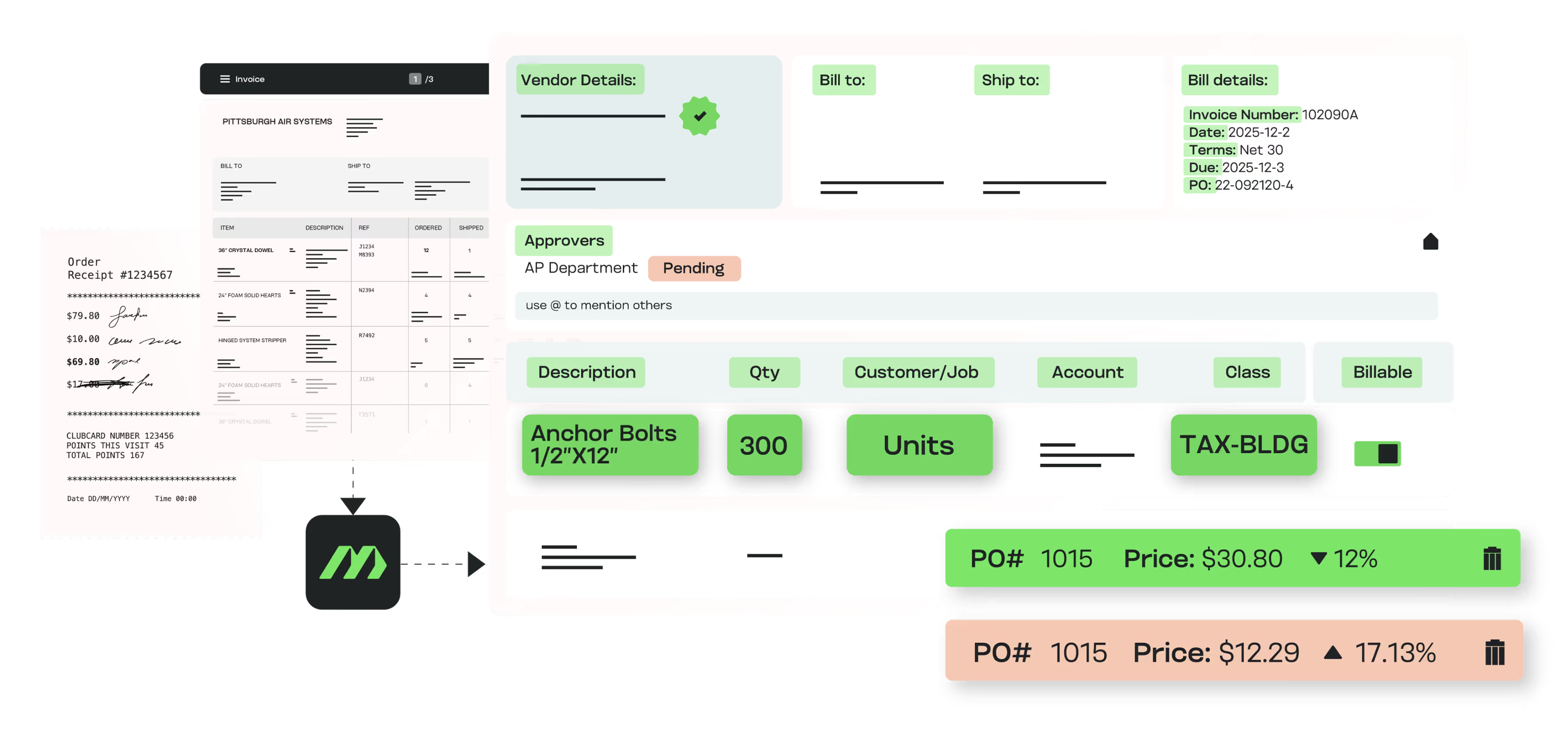
Capture bills from any source and automatically code them to the correct project, phase, and cost code

Automate PO and receipt matching to ensure accuracy before payment
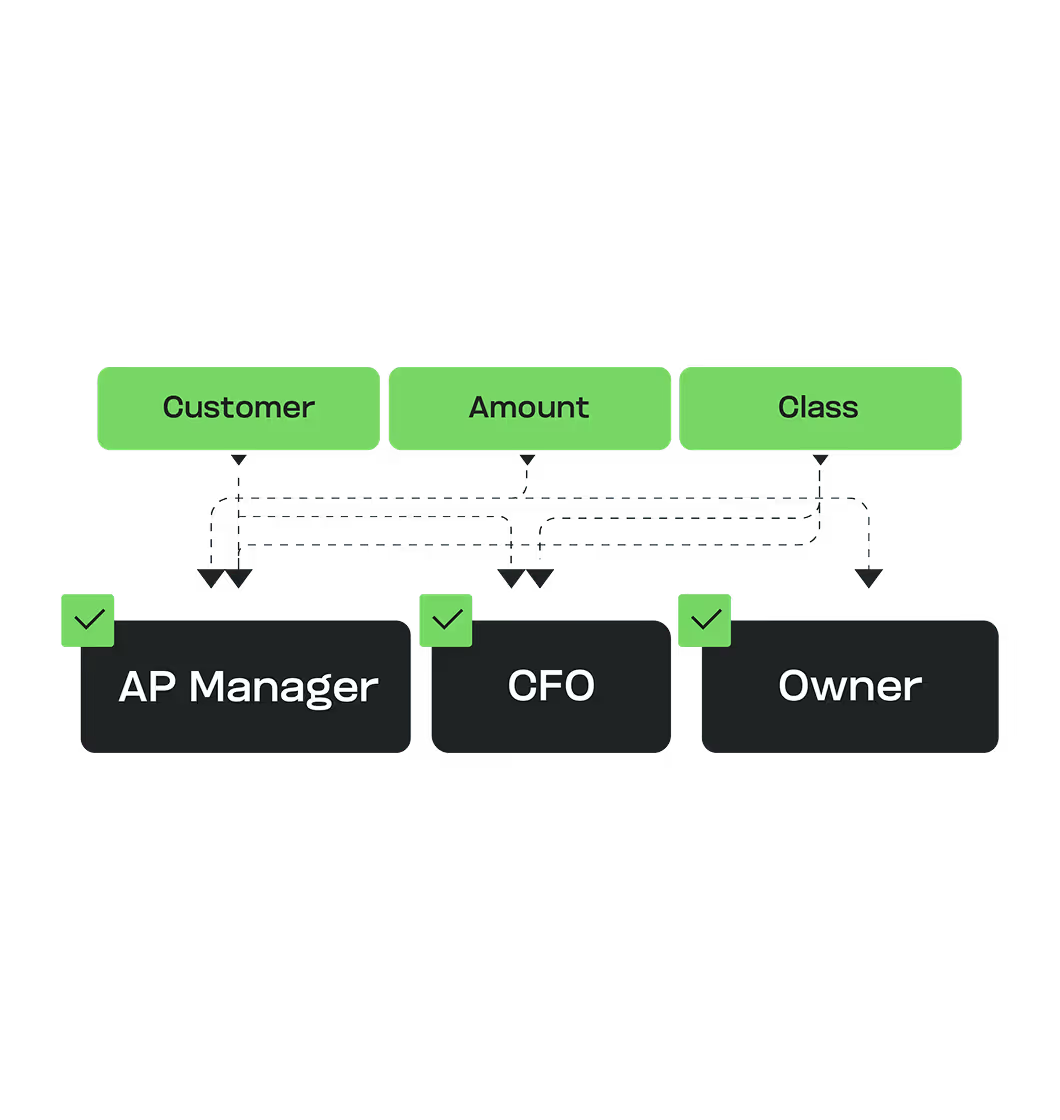

Configure multi-step approvals so project managers, finance, and executives can all review bills and payments as needed

Provide real-time cost visibility so budgets stay on track and overruns can be spotted early

Approve bills on the go with mobile and email-based approval options for field managers

Outcomes You Can Measure

Approvals completed 5x faster, keeping projects moving

80% reduction in manual data entry across multi-project workflows

30% savings on AP processing costs by eliminating errors and capturing discounts

Stronger subcontractor and vendor trust through on-time, accurate payments
Scale faster with automated AP you can trust.
FAQs
Yes. Approvals can be completed via mobile or directly from email. Project managers see only the bills tied to their jobs, keeping workflows fast without exposing full company financials.
Bills can be matched to one or many POs, including partial shipments. Line-item discrepancies in quantity or price are flagged instantly so errors can be fixed before approval.
MakersHub captures bills from email, PDF, scans, or even smartphone photos. All formats are centralized into one system and converted into structured data.
Yes. Bills are coded by project, phase, and cost code so finance teams and managers have a clear view of where money is going.
By eliminating bottlenecks and automating approvals, subcontractors get paid on time. That reliability strengthens relationships and helps ensure labor and materials are available when needed.
Yes. MakersHub integrates with QuickBooks, Sage Intacct, and NetSuite in real time. Other systems can be supported through Smart Data Connect for API or file-based integrations.
Keep Projects Moving and Budgets Intact.
Automate AP so every bill is captured, matched, and approved quickly, protecting subcontractor trust and keeping jobs on track.