
The QuickBooks Integration You Can Rely On
MakersHub connects seamlessly with QuickBooks Online and Desktop to eliminate manual entry, capture every detail, and sync bills, payments, vendors, and items automatically — powered by an in-house integration you can trust.
.avif)
.avif)
Customers love us
“We have enjoyed using Makers Hub in handling our accounts payable data. It has linked successfully with our Quick Books Program and we have found this to be a very efficient time savings tool. Line entries into Quickbooks are now automatic and sync exactly with our Chart of Accounts!”


Gaylen Jackson, Compliance Coordinator
EMH Transportation, LLC
Makershub integrates with both Integrations QuickBooks Online & Desktop

Turning Complex Workflows Into Seamless Systems
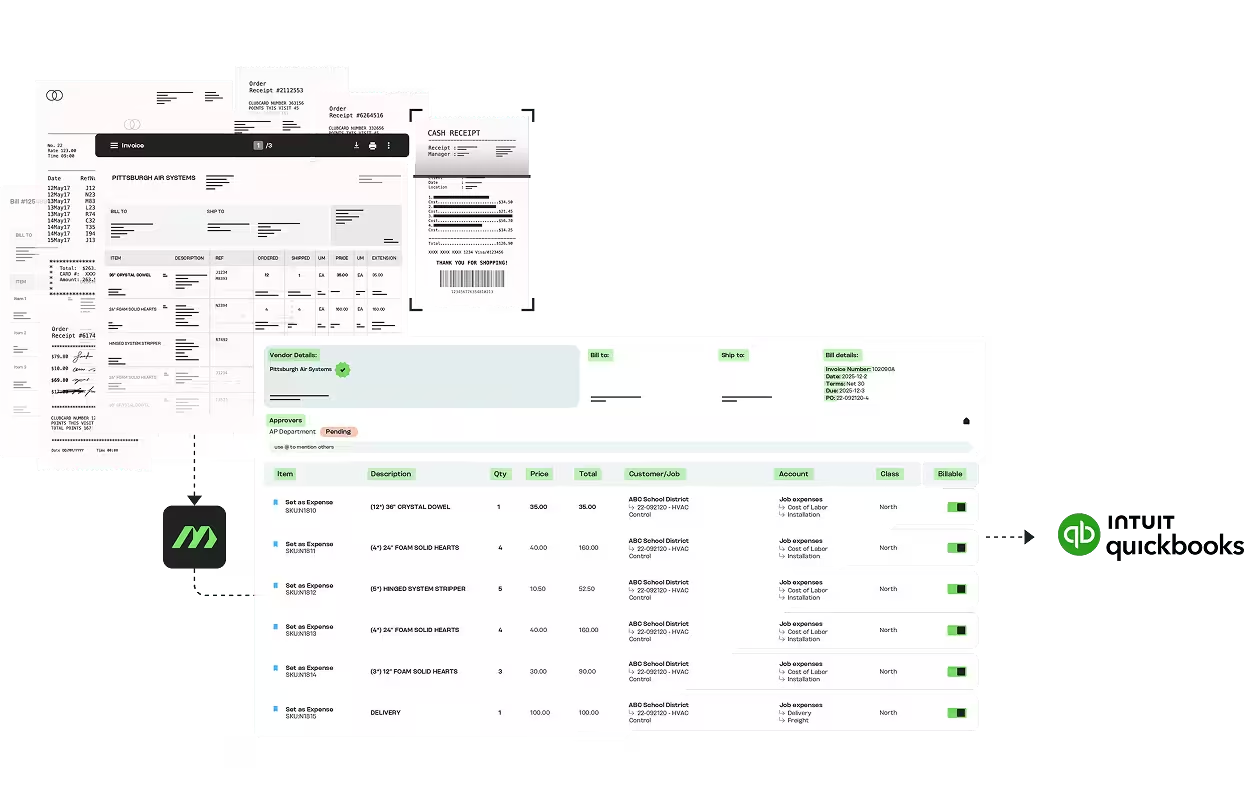
Truly Eliminate Manual Bill Entry
Stop keying in data one line at a time. MakersHub captures 35+ fields per bill, including line items, and pushes them directly into QuickBooks — accurate, complete, and audit-ready.
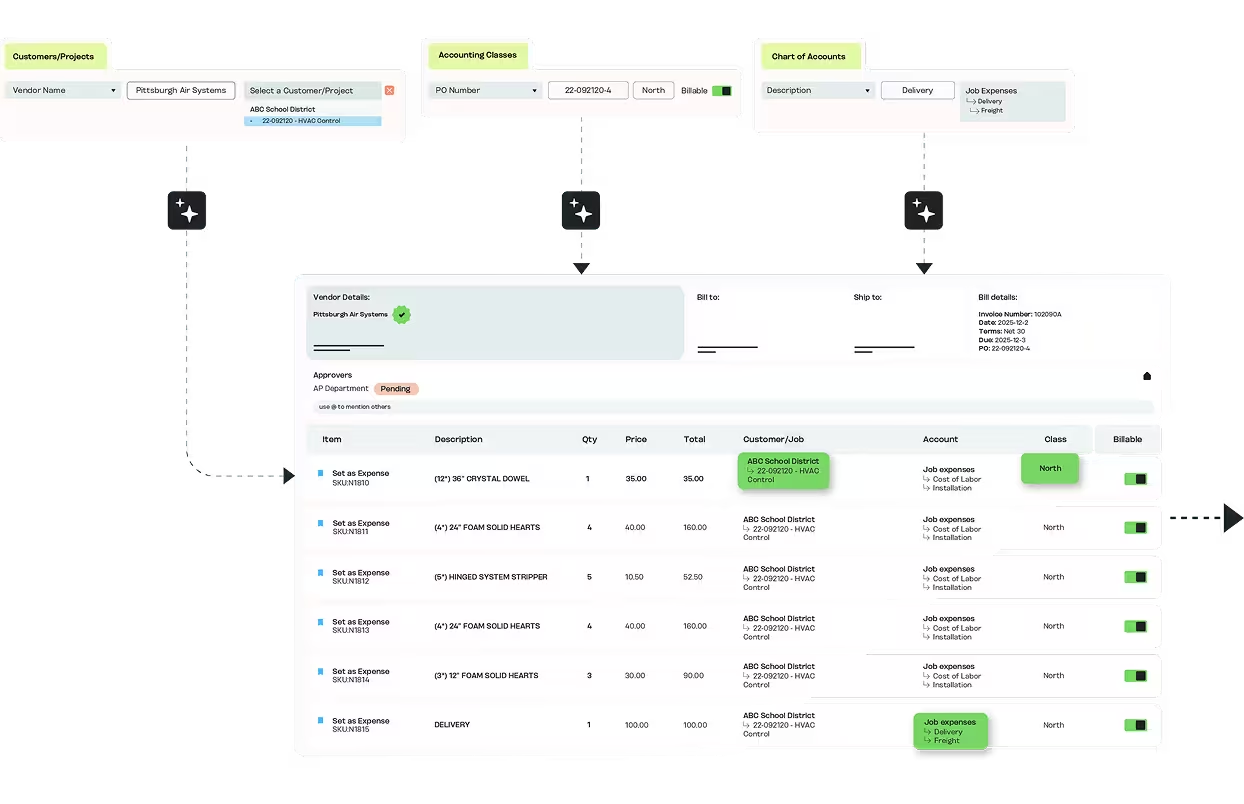
Rules That Keep Books Clean
MakersHub enforces consistent coding across all bills and line items, so your QuickBooks records remain accurate, audit ready, and free of duplicates or misclassifications.
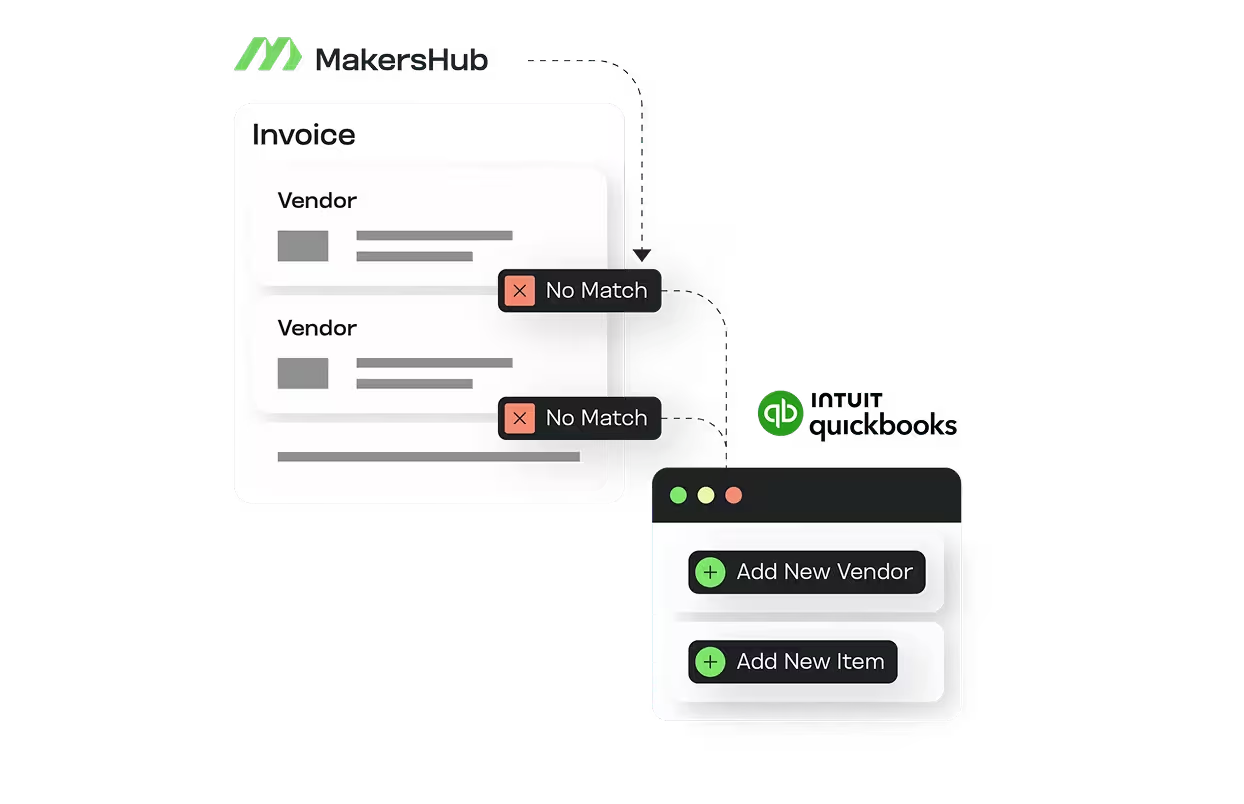
New Vendors and Items in One Click
MakersHub recognizes when a vendor or item doesn’t exist in QuickBooks. Add it instantly, without duplicates, and keep your books accurate.
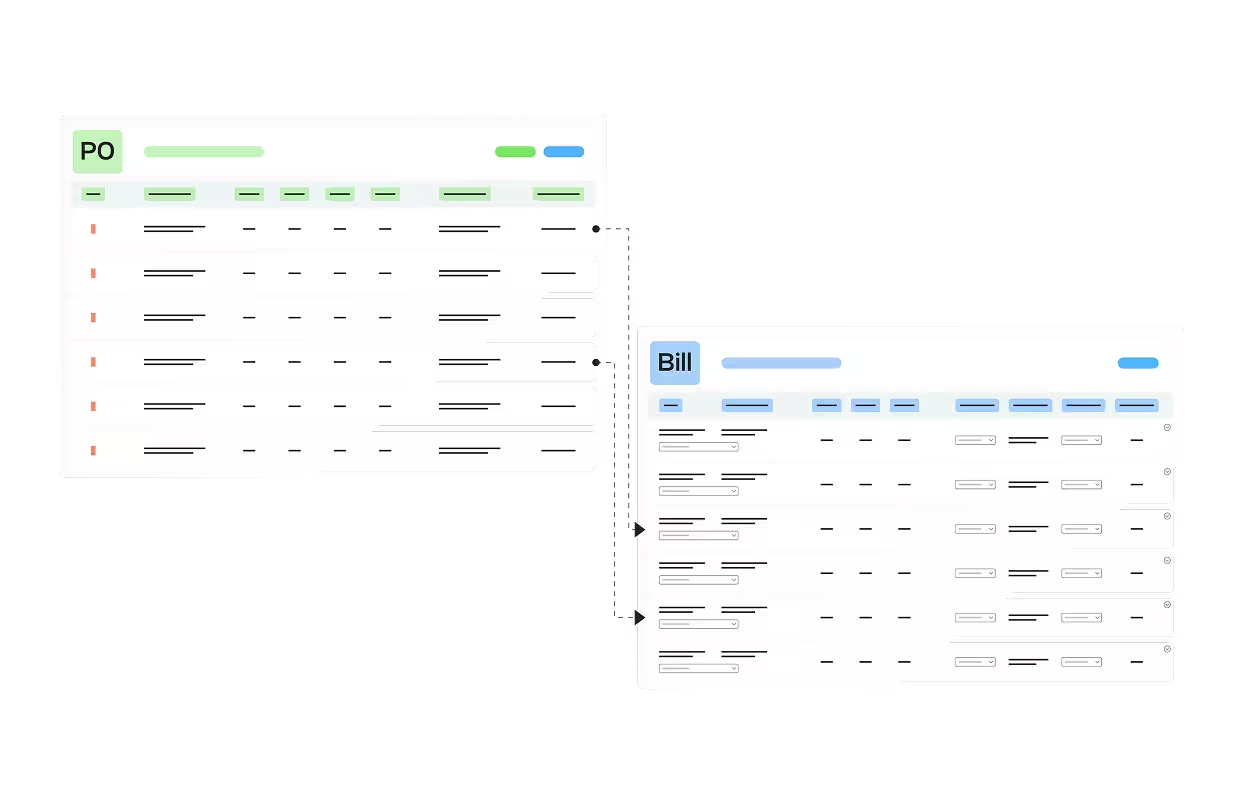
Purchase Order Matching
MakersHub automatically matches invoices against purchase orders, flagging discrepancies in quantities and pricing before approval. Matched invoices sync directly to QuickBooks with accurate GL coding—no manual entry required.
See it in action
FAQs
Yes. QuickBooks Online connects in seconds, while QuickBooks Desktop syncs through the Web Connector for reliable, on-demand updates.
MakersHub syncs all core AP records into QuickBooks, including bills, payments, vendors, items, GL accounts, classes, and supporting documentation. Depending on your configuration, additional fields such as locations, customers or jobs, tags, and custom fields are also supported.
Many AP tools rely on shallow or third-party connectors. MakersHub’s integration is built and maintained in-house, so it’s faster, more accurate, and directly supported.
Yes. When a vendor or item is missing, MakersHub detects it automatically and allows you to create it directly from within the platform. The record is then created in QuickBooks instantly and matched to avoid duplicates.
Yes. Every bill in MakersHub includes full timestamps, user actions, and supporting documents. When synced to QuickBooks, you maintain a complete record of what was entered, who approved it, and when — making audits and financial reviews much easier.
Finally, a QuickBooks Integration That Just Works.
Eliminate manual entry, keep your books accurate, and sync every detail automatically — with a direct integration built by MakersHub.